


Microsoft launches Execution Containers to limit what AI agents can access



Microsoft used its Wednesday event in San Francisco to make a case for running AI agents under Windows’ security controls. Its Microsoft Execution Containers (MXC) technology is now generally available on Windows 11, giving businesses a way to limit what agents can access and do.
The MXC platform is at the center of Windows Hybrid Intelligence, which is Microsoft’s strategy for distributing AI workloads between PCs and the cloud environment, while maintaining security and control of critical data.
Why Microsoft says today’s agents are unsafe
Microsoft executive Pavan Davuluri warned that PC agents are “fundamentally insecure because they have broad system access,” according to GeekWire.
Compared to conventional applications, agents can read files, perform instructions, and operate autonomously without needing constant supervision.
Microsoft’s solution consists of three steps: containment limits access, identity keeps track of agent activity, and manageability gives supervision to Agent 365 and Intune.
What Execution Containers actually restrict
MXC enables companies to determine which files and networks can be accessed by an AI agent. Windows imposes these limitations on the agent, regardless of whether or not it exceeds its permitted access.
MXC provides several tiers of security, including the capability to segregate separate processes or sessions as well as utilize agents that operate through either virtual machines or Windows 365 for Agents. Although this technology is not only available on Windows systems, Microsoft believes that establishing MXC within the operating system gives companies increased authority over agent activity.
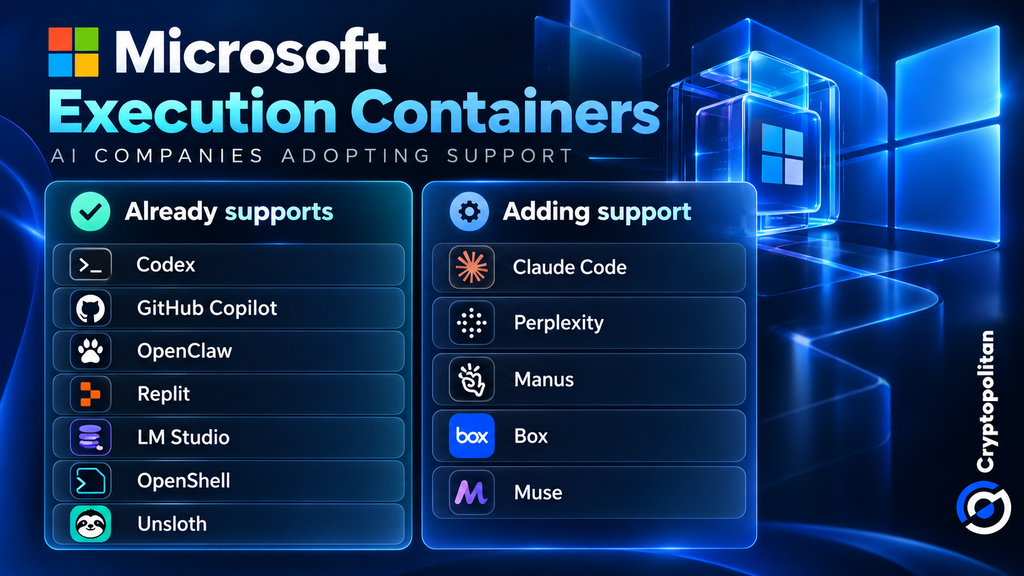
Microsoft says Codex, GitHub Copilot, OpenClaw, Replit, LM Studio, OpenShell, and Unsloth AI already support MXC.
Claude Code, Perplexity, Manus, and Box are working to add support. Meta also plans to bring Muse to Windows as a native app.
However, having more companies on board doesn’t automatically make AI agents safer. What matters is how well these security controls work in practice.
Where the cloud economics come in
Microsoft aims to lower the costs of cloud computing for companies. Doing suitable AI tasks locally might minimize token expenses and let cloud models handle the bigger tasks.
Microsoft CEO Satya Nadella has called the goal “unmetered intelligence to every desk and every home,” GeekWire wrote.
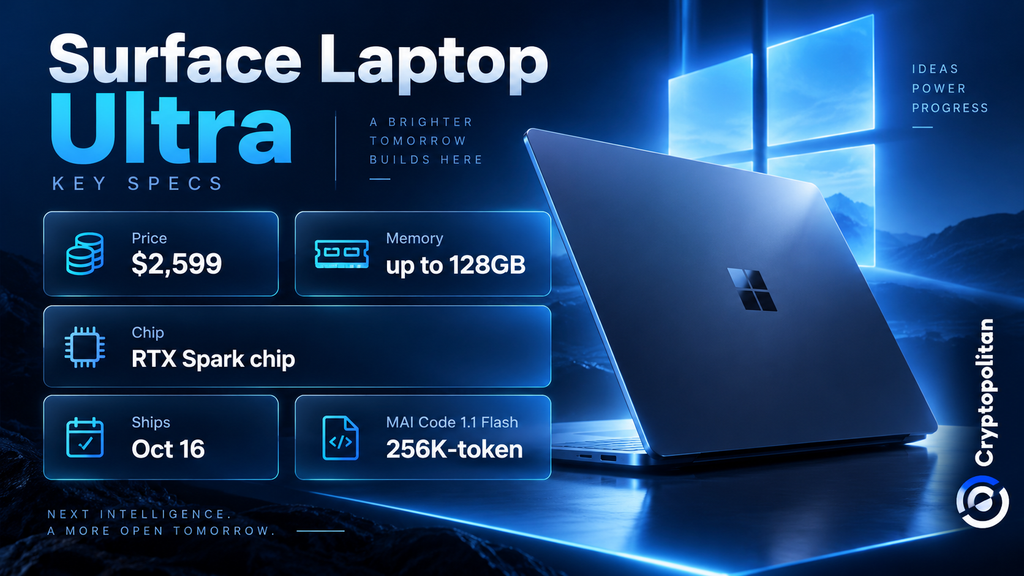
In order to accomplish this goal, Microsoft decreased the size of its MAI Code 1.1 Flash model by nearly 80% for local use while keeping the capability of having a context window of 256,000 tokens still in place.
Additionally, the company has spent on hardware that can be used for local AI operations. An example is the Surface Laptop Ultra that runs on Nvidia’s RTX Spark chip operating on 128 GB of memory. The model can be purchased for $2,599 starting on October 16.
But operating AI locally still incurs a cost. Companies have to pay for hardware, electricity, and maintenance, as Lenovo’s 2026 cost analysis shows. Whether the firm will achieve savings will depend on how much cloud computing it can displace.
The Recall shadow over local AI
Microsoft still faces privacy concerns following Recall, its controversial screenshot-based feature that was delayed after security criticism and later released as opt-in.
This time, Microsoft says Copilot will access files and recent activity only with permission.
The Verge reports that Copilot will handle more local tasks, with hybrid features reaching Copilot PCs over the coming months.
The real test is whether Windows can make AI agents useful without giving them more access than users intended.
The smartest crypto minds already read our newsletter. Want in? Join them.
Recommended Articles




Comments (0)
Click the $ button, enter the symbol, and select to link a stock, ETF, or other ticker.